Fraud reporting
Maventa’s fraud reporting feature lets end users flag received invoices they suspect to be fraudulent. By adding a “Report fraud” button to your integration, you give users a simple way to report suspicious invoices as part of their normal workflow.
Fraud reporting is a crowd-sourced warning service available through the AutoXChange API. When multiple receivers report the same sender, that sender may be added to a warning list. Invoices from listed senders can then trigger alerts through the Detect service.
Fraud reporting cannot be used to dispute an invoice or refuse payment. Reports are not automatically forwarded to the invoice sender or the authorities.
How it works
- Each report is linked to a specific received invoice
- The user selects one or more reason categories and provides a contact email
- The user can optionally describe the suspected fraud in more detail
- All UI texts and translations are available via the API
- Only one report per invoice is allowed
Submitting a report — example flow
Add a button or similar action in your system that lets users report a received invoice as suspected fraud.
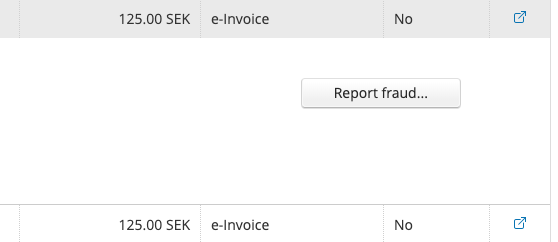
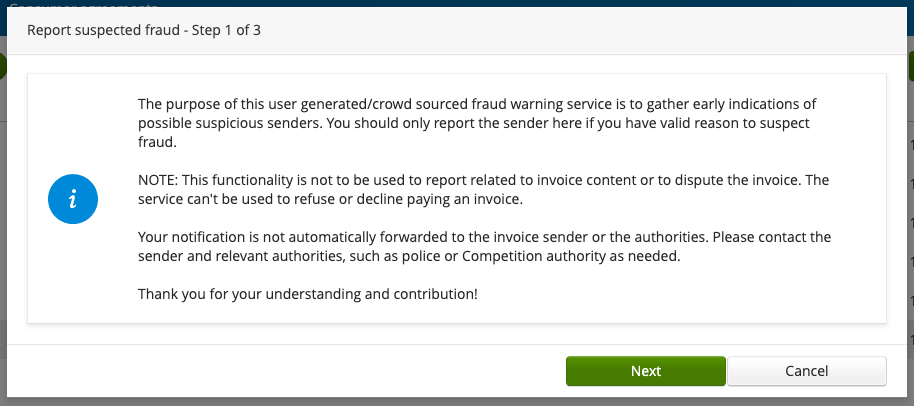
Step 1: Show information text
Display an informational text explaining the purpose and limitations of fraud reporting.
Fetch the text and translations using GET /v1/invoices/reports/definitions. Available languages: EN, FI, SE, NO, DK, NL.
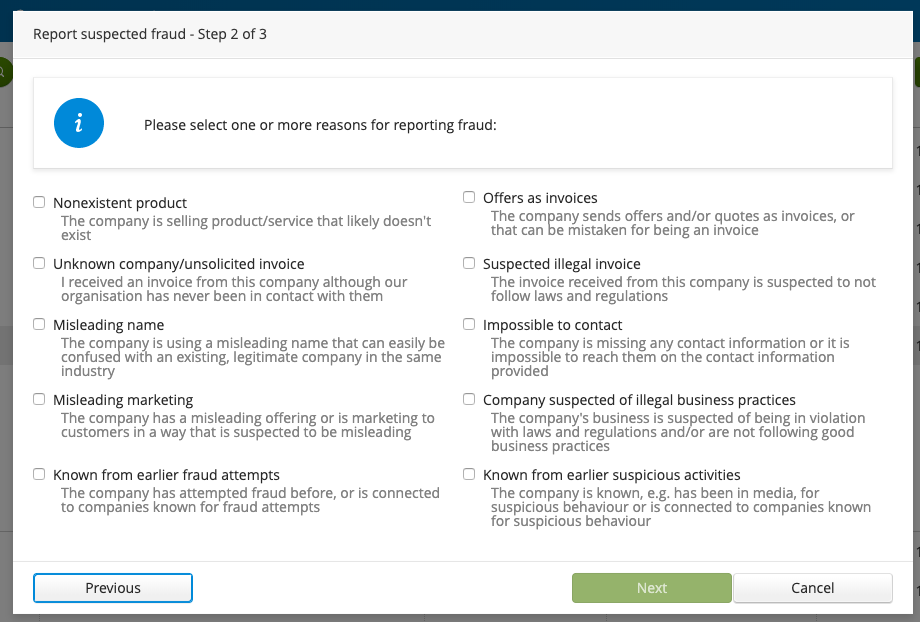
Step 2: Select reason categories
The user selects one or more reasons for their report from predefined categories. At least one reason must be selected.
Fetch the categories and their descriptions using the same GET /v1/invoices/reports/definitions endpoint. Texts are available in EN, FI, SE, NO, DK, NL.
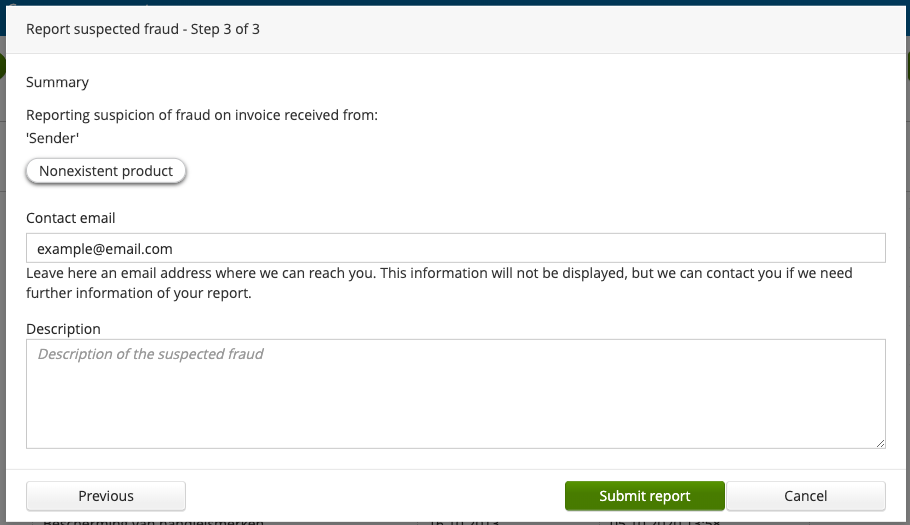
Step 3: Review and submit
The user reviews a summary of the report, provides a contact email, and optionally adds a description.
Submit the report using POST /v1/invoices/{id}/reports.
Parameters:
-
id(required) — Maventa invoice ID (path parameter) -
reason(required) — one or more reason categories -
email(required) — contact email for potential follow-up (not displayed to others) -
description(optional) — free-text description of the suspected fraud
The reporting process does not need to follow a step-by-step flow. You can present all fields on a single screen if that suits your system better. Regardless of the approach, make sure that:
- The user sees the informational text, so they understand what fraud reporting is and is not.
- At least one reason category is selected, to ensure sufficient case information.
- A contact email is provided, as it may be used for follow-up.
View report status
Fetch the status of a fraud report for a specific invoice. Use this to check whether an invoice has already been reported, or to get the report ID needed to delete a report.
Use GET /v1/invoices/{id}/reports.
Delete a report
Allow users to delete a report they previously submitted, for example if they no longer suspect fraud or need to correct their report.